



Immediate problem: what actually fails and why
Pain points cluster around three failure modes: power-chain faults, pixel-level degradation, and signal-chain mismatches that cascade into color shift. Field teams see the same symptoms — dark columns, intermittent flicker, and odd color casts — but they treat them like separate problems instead of one cascading failure. Start by treating each new unit as a system: a panel with power, thermal path, driver electronics, and a networked controller. If you’ve ever been called at 3 a.m. for a frozen retail poster, the first check should be power rails and the controller heartbeat, then firmware and cabling; a frozen frame often comes from controller lockup, not the LEDs. For compact deployments put a known-good spare controller on hand and test with a reference test pattern on any suspect led poster display to isolate hardware from content issues.
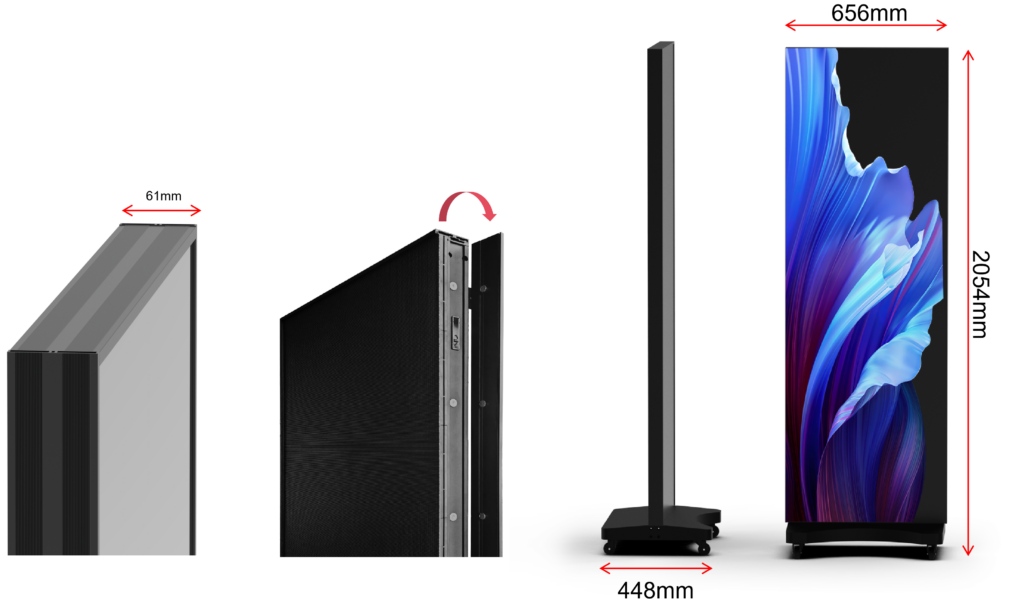
Fast triage protocol — what to measure now
Run five quick checks: (1) DC rail voltages at the PSU and LED module; (2) module temperature profile with an IR gun; (3) pixel array with a white/black/red/green/blue test pattern; (4) controller logs and firmware version; (5) network health — packet loss or switch port errors. Use a clamp meter plus a USB serial console for the controller. If MTBF data points to power-supply stress, isolate and swap PSUs before replacing whole modules. Record each metric; repeatable data is the difference between a one-off fix and a stopgap that repeats.

Preventive service: calibration, cleaning, and firmware hygiene
Schedule photometric calibration quarterly for high-usage venues and biannually for quieter sites. Use a colorimeter and carry LUT profiles for the controller firmware — don’t rely purely on visual tuning. Clean optics with lint-free wipes and isopropyl under low-humidity conditions; avoid ammonia-based cleaners that degrade diffusion films. Treat firmware updates like medical updates: test on a staging unit, confirm rollback works, then push overnight with a backup image available. PWM dimming settings must be consistent across panels to prevent banding; log baseline brightness and chromaticity so you can quantify drift.
Common mistakes that cost time and budget
Teams skip documenting environmental conditions — they assume indoor means “safe” and get moisture-related failures. Vendors often under-spec fans and rely on conservative airflow; validate actual airflow and ambient temps. Don’t mix panel batches without reprofiling color maps — micro-variations in binning create visible seams after installation. Avoid ad-hoc power cabling runs; voltage drop causes localized dimming and early capacitor stress. Finally, don’t let content teams push high-contrast static images 24/7; pixel burn-in accelerates wear.
Lifecycle signals: when to repair, refurbish, or replace
Track these hard triggers: brightness below 70% of initial cd/m² under standard drive settings, failure rates over 2% of pixels per module within a year, or maintenance costs exceeding 30% of replacement value annually. Expect useful life around 50,000 hours for modern poster-grade LEDs at conservative drive currents; push beyond that only with calibrated replacements and refunding of consumables like PSUs. Plan capex on a 5–7 year cadence, but let telemetry decide earlier; thermal stress and repeated PSU swaps are reliable indicators it’s cheaper to replace than to keep repairing.
Experience, standards, and a real-world anchor
Teams that ship consistent uptime pair field SOPs with telemetrics and a tested spare pool. I’ve overseen installations across mixed retail footprints and audited vendor SLAs for nationwide rollouts; consistent patching and automated alerting cut incident response time by more than half. High-visibility deployments like Times Square digital clusters have publicized the need for hardened, serviceable modules and routine photometric checks, which validates using standardized test matrices for poster-grade installs. For procurement and field reference, compare actual install reports and lab measurements to spec sheets for led poster displays before signing long-term service commitments.
Put the playbook to work
Define triage scripts, instrument your fleet, and gate firmware changes behind a staging rollback. That process turns one-off emergency calls into predictable service events and identifies replacement windows before visible failure. When you align diagnostics, preventive calibration, and lifecycle triggers, you reduce outage churn and budget surprises — a pragmatic approach exemplified by vendors who support maintainable modules and clear documentation like HDC.